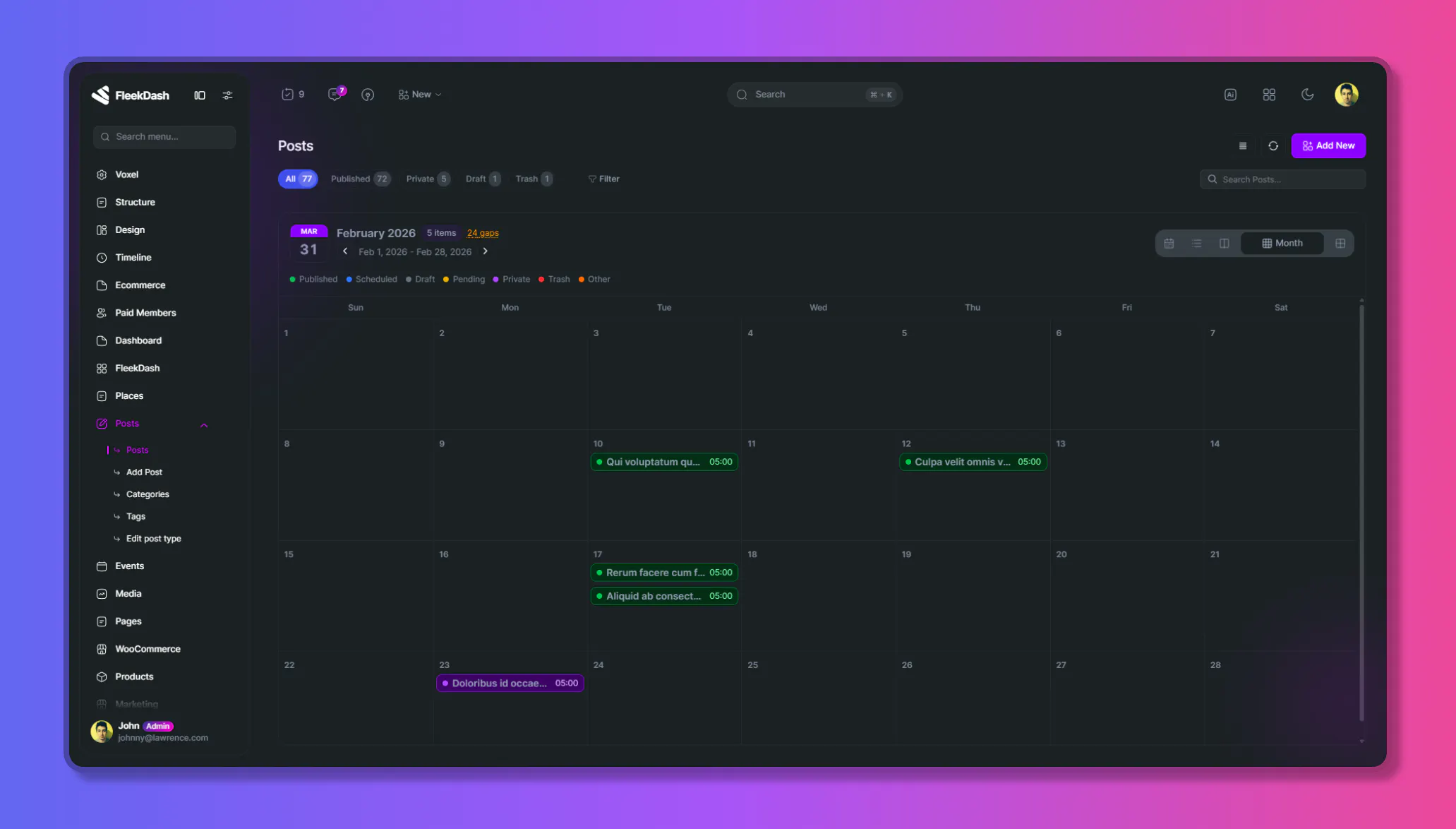
Today we’re shipping FleekDash 2.5.0, a release focused on helping teams plan, schedule, and ship content faster, right inside WordPress.
Introducing: Calendar View for Posts
The Calendar View has become an integral feature of the FleekDash workflow, offering advanced and modern functionalities:
Plan content with Month, Week, Day, Year, and Agenda views
Drag and drop posts to reschedule instantly
Use a dedicated Calendar Context Menu for fast actions
Create posts directly from empty slots with quick-create actions
Use hover actions and right-click actions for edit, duplicate, publish, status changes, and delete
Navigate faster with keyboard shortcuts: N (next), P (previous), T (today)
Set Calendar as default listing mode per post type
Experimental Additions
We’re also introducing an experimental feature for power users:
Top-menu plugin quick actions for selected third-party plugins
This is an early rollout and we’ll continue refining behavior based on real-world usage.
Important Improvements in 2.5.0
Major overhaul of the permissions and user roles foundation
This is a large architectural step and the base for FleekDash’s future evolution
Better dark/light synchronization in relevant palette editor options
Direct edit dropdown support for popular page builders
Improved compatibility with the latest Voxel
Styling improvements for WooCommerce settings pages
Styling improvements for Elementor One settings pages
Fixes You’ll Feel
Improved reliability for calendar status and rescheduling flows
Better consistency in calendar actions across different views
Plugin updates via the grid now handle cache and consistency better
What This Means
This release is a big move toward a more unified editorial and admin experience inside FleekDash.
The new Calendar View is the spotlight, and the underlying platform improvements prepare the way for what comes next.
Update to 2.5.0 and tell us what you want to see in the next version!